How I Built Interactive Comic Story Website With ChatGPT

How I Built Interactive Comic Story Website With ChatGPT
Read‑time: about 3-5 minutes
Perfect for: anyone who wants to launch a cool little site without learning hard‑core coding.
Hey, I’m Harsh a fresh‑out‑of‑BCA digital‑marketing nerd who also loves comics. Last weekend I made a one‑page, comic‑style website called “Shakti” all by myself. No agencies, no huge tech stack-just ChatGPT and GitHub Pages. Here’s my simple, real‑life play‑by‑play so you can copy it.
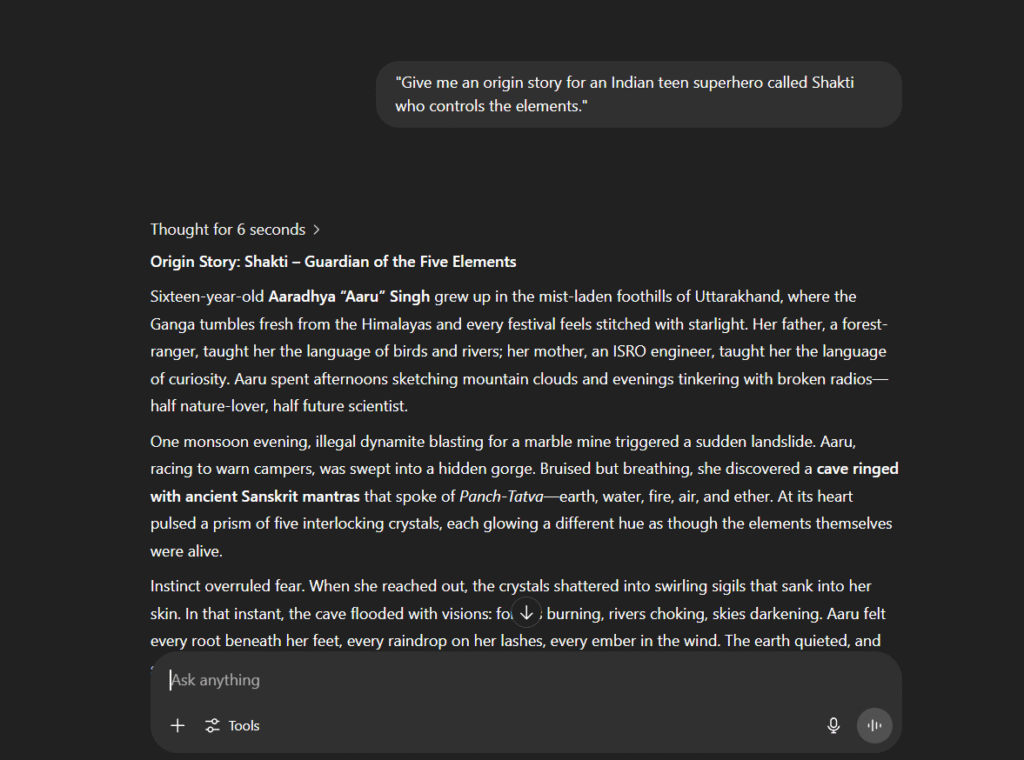
1. Kick‑off the Story (ChatGPT Has My Back)
- I opened ChatGPT and typed:
"Give me an origin story for an Indian teen superhero called Shakti who controls the elements." - Boom-ChatGPT spat out a full plot in seconds.
- I tweaked it with follow‑ups like “make it hopeful” and “keep the language easy for 13‑year‑olds.”
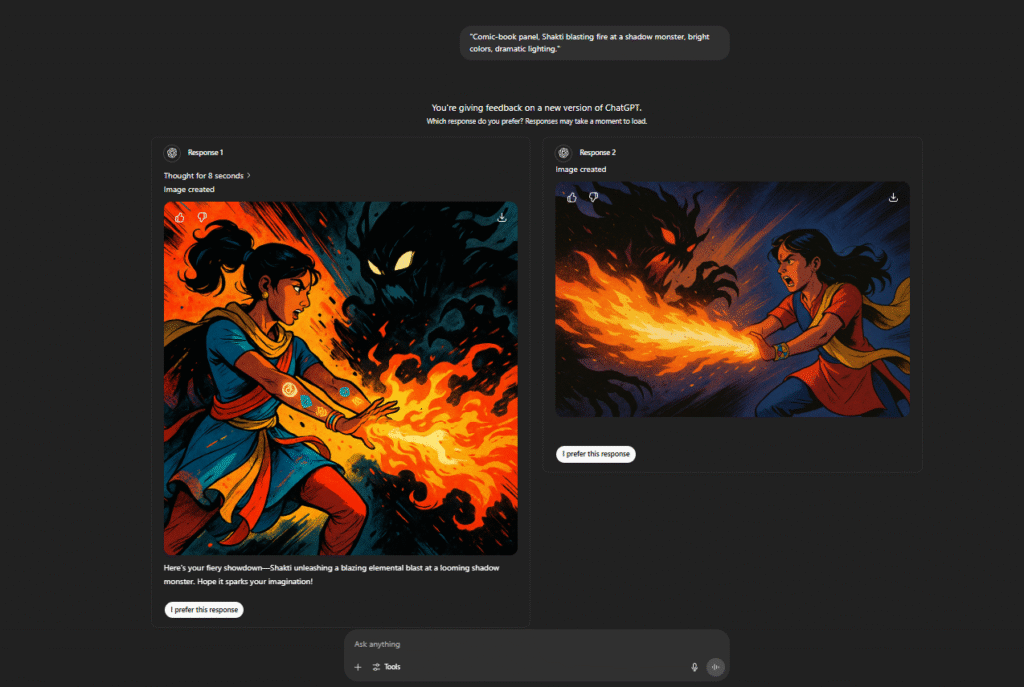
2. Get the Art (DALL·E to the Rescue)
Prompt Example that you can used:"Comic‑book panel, Shakti blasting fire at a shadow monster, bright colors, dramatic lighting."
DALL·E gave me crazy‑good panels. I saved them as scene1.png, scene2.png, etc.
3. Build the Page (HTML in 20 Seconds)
I asked ChatGPT:"Write simple HTML for a single‑page story site. Include header, image, and paragraph sections."
It generated tidy code like this:
<!DOCTYPE html>
<html lang="en">
<head>
    <meta charset="UTF-8">
    <meta name="viewport" content="width=device-width, initial-scale=1.0">
    <title>Document</title>
</head>
<body>

    <h1>Shakti: Guardian of Elements</h1>

<section>
  <img src="/assets/posts/content/how-to-build-a-interactive-website-with-chatgpt-2.webp" alt="Shaktis first battle">
  <p>[Story text]</p>
</section>

</body>
</html>
I copy‑pasted it into index.html.
4. Make It Look Cool (Quick CSS)
Next prompt:
"Minimalist CSS, comic vibe, bold headings, white text on dark background."
I dropped the CSS into styles.css. Site instantly looked like a digital comic.
It took me a multiple attempts to generate my desire style for CSS
5. Put It Online (GitHub Pages-Free!)
- New repo →
shakti. - Upload
index.html,styles.css, and images. - Settings → Pages → Branch: main, Folder: / (root).
- Wait 30 seconds → live link appears.

6. Quick SEO + Accessibility Tweaks
- Add alt text like
alt="Shakti unleashes fire". - Drop a meta description:
<meta name="description" content="Shakti – an AI‑made superhero story site, built with ChatGPT.">Use proper <h1>–<h3> hierarchy so Google understand
7. Bonus Flavour (Still No Pain)
- Sticky header + scroll‑to‑top button → ChatGPT wrote the tiny JS.
- Dark‑mode auto switch → one CSS media query:
@media (prefers-color-scheme: dark) { … } - Lazy‑load images → just add
loading="lazy"in the<img>tags.
Each tweak took maybe 2‑3 minutes.
8. What I Learned
- One clear prompt beats 10 vague ones.
- Rename files neatly-you’ll thank yourself later.
- Don’t overthink; ask ChatGPT, test, repeat.
Try It Yourself
Seriously, if you can write a WhatsApp message, you can build a website like mine. Fire up ChatGPT, brainstorm an idea, and follow these steps. Tag me on LinkedIn when your site is live-I’d love to see it!
Happy building! ✨
👉 Follow me for more: LinkedIn | Instagram | X | Round Table